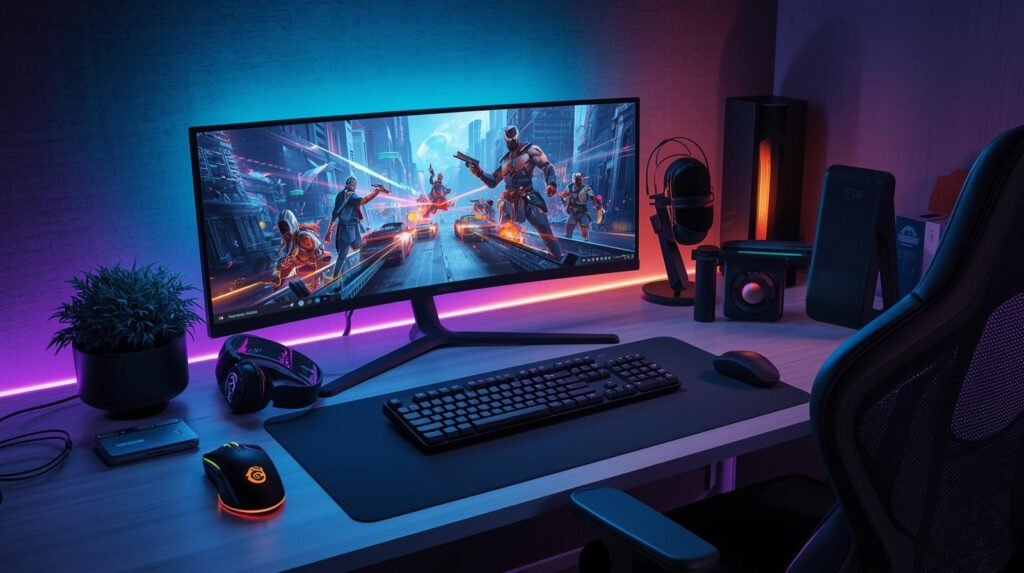
A gaming setup is not only about having a powerful PC or console. The right accessories can make your gaming experience more comfortable, organized, and enjoyable.
From better control and clearer audio to improved desk organization, small upgrades can make a noticeable difference during everyday gaming sessions.
Whether you are building your first setup or improving your current one, these are some gaming accessories worth considering.
1. Gaming Headset for Better Audio Experience

Sound plays an important role in many games. A good gaming headset can help you hear details more clearly, communicate with teammates, and enjoy a more immersive experience.
When choosing a gaming headset, consider:
- Sound quality
- Microphone clarity
- Comfort for long sessions
- Wireless or wired connection
- Battery life
Popular options include headsets designed for PC, PlayStation, Xbox, and multi-platform gaming.
Recommended Gaming Headsets:
- HyperX Cloud series
- SteelSeries Arctis series
- Logitech G gaming headsets
2. Gaming Mouse for Better Control

For PC gamers, a comfortable mouse can improve control and accuracy.
Important features to look for:
- Adjustable DPI settings
- Comfortable grip
- Lightweight design
- Reliable sensor
- Programmable buttons
Competitive gamers often prefer lightweight mice because they allow faster movement and easier control.
Recommended Gaming Mouse:
- Logitech G Pro Wireless
- Razer DeathAdder series
- SteelSeries Aerox series
3. Mechanical Gaming Keyboard

A mechanical keyboard is one of the most popular upgrades for gaming setups.
Many gamers choose mechanical keyboards because of:
- Faster response
- Different switch options
- Better typing feel
- Customizable RGB lighting
Different switches provide different experiences, from quiet typing to more tactile feedback.
Popular Gaming Keyboard Options:
- Keychron gaming keyboards
- Razer keyboards
- Corsair gaming keyboards
4. Gaming Monitor for Smoother Gameplay
A good monitor can completely change how games look and feel.
Things to consider:
Refresh Rate
Common gaming refresh rates:
- 60Hz for basic gaming
- 144Hz–165Hz for smooth gameplay
- 240Hz for competitive gaming
Resolution
- 1080p: easier performance
- 1440p: sharper image quality
- 4K: higher detail
A balanced monitor depends on your graphics card and the games you play.
5. Desk Accessories for a Cleaner Setup
A comfortable gaming space is not only about performance. Organization also matters.
Useful accessories include:
- Mouse pads
- Cable management tools
- Monitor arms
- Headphone stands
- RGB lighting
These small additions can make your setup cleaner and more enjoyable.
6. Gaming Controller for PC and Console
Controllers can be useful for racing games, sports games, platformers, and many console-style titles.
Features worth checking:
- Comfortable buttons
- Wireless connection
- Good battery life
- Compatibility with your device
Popular choices include controllers from Xbox, PlayStation, and third-party gaming brands.
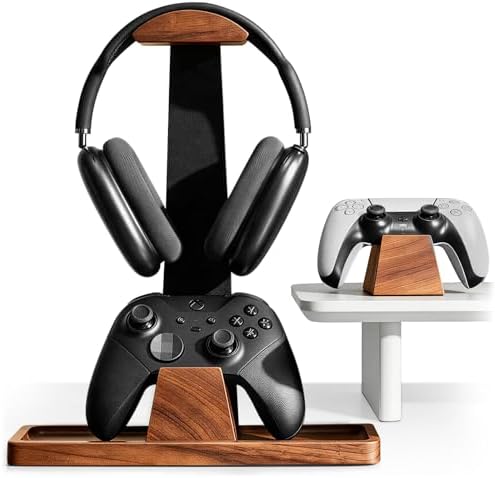
- Solid Wood Build: Crafted from natural solid wood, this stand won’t wobble or tip over when you grab your headset mid-ga…
- Versatile Storage Base: The two solid wood controller docks feature non-slip pads on the bottom, providing a snug and sc…
- Universal Fit & Versatile Display: The universal hook holds any over-ear gaming headset, from lightweight models to heav…

- 【Cable Hole Designs】The newly upgraded cable hole design can easily and quickly organize your cables, so that your heads…
- 【Excellent Stability】This headphone stand comes with a metal base, a sturdy hanger, and a low center of gravity design, …
- 【Size】The headset holder about 11.2 inches height, 6.7 inches length, 5.9 inches width, it is super easy to bring along …

- Work smarter not harder: forget keyboard shortcuts. Stream Deck Mini lets you assign tedious, hard to memorise shortcuts…
- Compatible with your apps: Seamlessly integrate with essential software including Zoom, Teams, PowerPoint, Excel, Word, …
- Customizable LCD keys: Instantly activate commands and functions with a single tap.
Final Thoughts
Building a gaming setup does not always require buying everything at once.
The best approach is to upgrade based on what you use most. A comfortable headset, better mouse, or improved monitor can often make a bigger difference than adding more accessories that you rarely use.
Start with the accessories that match your gaming style, then continue upgrading over time.
Related Articles:
- Best Gaming Laptops for Beginners
- Best Gaming Monitors for PC and Console
- Gaming Setup Ideas for Small Rooms
- Best Desk Accessories for Gamers
Affiliate Disclosure
Some links on Game Gear Vault may be affiliate links. If you purchase through these links, we may earn a small commission at no additional cost to you. This helps support our website and allows us to continue creating useful gaming content.