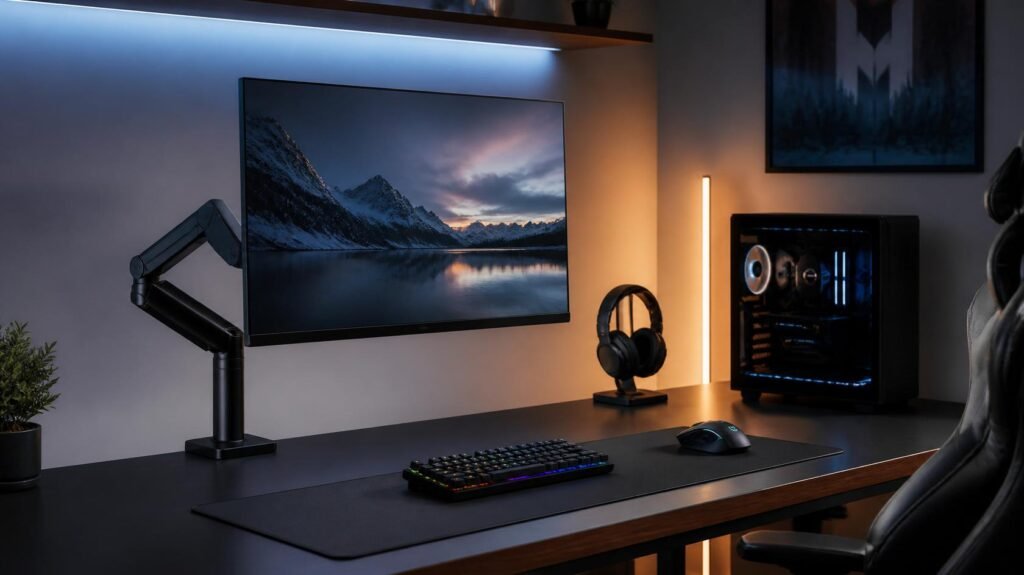
A great monitor can improve your gaming experience, but where you place it is just as important.
Many gamers overlook the benefits of a monitor arm, choosing to use the standard monitor stand that comes in the box. While built-in stands work well enough, they often take up valuable desk space and offer limited adjustment.
A monitor arm allows you to position your display exactly where you want it, making your gaming setup more comfortable, organized, and visually appealing. Whether you’re building a minimalist battlestation or a dual-monitor workstation, a quality monitor arm can be one of the most practical upgrades you make.
In this guide, we’ll explain what to look for and recommend some of the best monitor arms available in 2026.
Why Use a Monitor Arm?
A monitor arm offers more than just a cleaner-looking desk.
Better Ergonomics
You can easily adjust:
- Monitor height
- Viewing angle
- Tilt
- Rotation
- Distance from your eyes
This helps reduce neck and shoulder strain during long gaming sessions.
More Desk Space
Removing the factory stand frees up valuable room for:
- Larger mouse movements
- Speakers
- Stream Deck
- Decorative accessories
- Charging stations
Cleaner Cable Management
Many monitor arms include built-in cable routing, helping keep cables hidden for a more professional-looking setup.
What to Look for Before Buying
Weight Capacity
Always check that the arm supports your monitor’s weight.
Gaming monitors can vary significantly depending on size and panel type.
VESA Compatibility
Most modern monitors support:
- 75 × 75 mm
- 100 × 100 mm
Verify your monitor’s VESA mounting pattern before purchasing.
Gas Spring vs Mechanical Arm
Gas Spring
Pros:
- Smooth adjustments
- Premium feel
- Easier positioning
Mechanical Arm
Pros:
- Lower cost
- Simple construction
- Reliable support
Gas spring arms are generally preferred for gaming setups because they make repositioning effortless.
Single vs Dual Monitor Arms
Single monitor arms are ideal for most gamers.
Dual monitor arms work well for:
- Streaming
- Productivity
- Content creation
- Multitasking
Best Monitor Arms for Gaming
Best Overall Monitor Arm
Ergotron LX Premium Monitor Arm

The Ergotron LX is one of the most trusted monitor arms available.
Highlights:
- Smooth gas spring movement
- Excellent build quality
- Wide range of adjustment
- Strong cable management
Best for: Premium gaming and work setups.

🖥️ Upgrade Your Monitor Setup
Compare today’s best monitor arms, customer reviews, and current prices on Amazon.
View on AmazonBest Budget Monitor Arm
HUANUO Single Monitor Mount
The HUANUO Single Monitor Mount offers excellent value for gamers upgrading from a standard monitor stand.
Features include:
- Gas spring adjustment
- Wide monitor compatibility
- Easy installation
- Built-in cable management
Best for: Budget gaming desks.

🖥️ Upgrade Your Monitor Setup
Compare today’s best monitor arms, customer reviews, and current prices on Amazon.
View on AmazonBest Heavy-Duty Monitor Arm
AVLT Single 17–49 Inch Monitor Arm
Designed for ultrawide and larger displays.
Highlights:
- High weight capacity
- Smooth movement
- Premium construction
- Stable support
Best for: 34-inch and 49-inch ultrawide gaming monitors.

🖥️ Upgrade Your Monitor Setup
Compare today’s best monitor arms, customer reviews, and current prices on Amazon.
View on AmazonBest Dual Monitor Arm
VIVO Dual Monitor Desk Mount
Perfect for gamers who also stream, edit videos, or work from home.
Features:
- Supports two monitors
- Adjustable arms
- Clamp and grommet mounting options
- Affordable pricing
Best for: Dual-monitor gaming setups.

🖥️ Upgrade Your Monitor Setup
Compare today’s best monitor arms, customer reviews, and current prices on Amazon.
View on AmazonClamp Mount vs Grommet Mount
Clamp Mount
Pros:
- Easy installation
- No drilling required
- Works with most desks
Grommet Mount
Pros:
- More permanent installation
- Cleaner appearance
- Better for dedicated setups
Most gamers will find a clamp mount easier and more convenient.

- Compatible with Wide Screens – To ensure compatibility with the dual monitor mount, your each monitor must meet three co…
- Regarding the compatibility with desks – Your desk must meet three conditions at the same time: First, desk material: On…
- Dual C-Clamp Hold – Worried your dual monitors might wobble or slip? Our upgraded base uses a larger platform plus a dua…
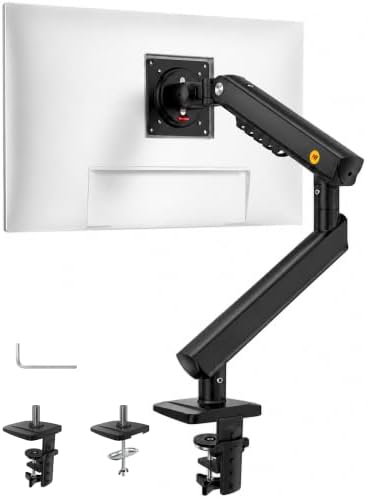
- 2026 New-Generation Mechanical Spring: Upgraded from traditional gas spring arms to a precision mechanical spring system…
- Supports Monitors up to 32 Inches: Designed for most flat and curved monitors up to 32 inches with standard VESA 75x75mm…
- Easy 3-Step Installation: No complicated assembly required. Includes C-clamp and grommet mounting options, making it eas…

- Improved Stability for Ultrawide Monitors: The upgraded dual monitor stand combines solid aluminum arms, a larger base, …
- Taller & Longer Arms: Our dual monitor mount is designed for smooth and precise adjustments. It comes with enlarged arms…
- Full Motion Adjustments: This heavy-duty dual monitor arm lets you swivel your screens from -90° to +90°, tilt from -30°…
Final Thoughts
A monitor arm is one of the simplest ways to improve both comfort and desk organization.
By freeing up desk space and allowing flexible positioning, it helps create a cleaner and more ergonomic gaming setup.
Whether you use a single monitor or a multi-display configuration, investing in a quality monitor arm is a practical upgrade that you’ll notice every day.
Disclosure: This post contains affiliate links. If you click through and make a purchase, we may earn a small commission at no extra cost to you. We only recommend products we genuinely believe offer great value.