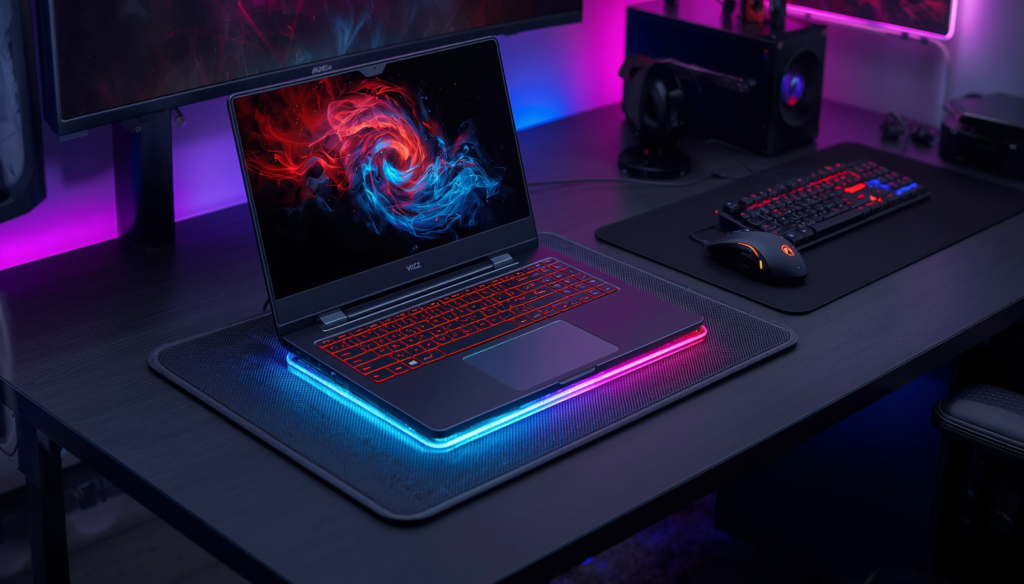
Gaming laptops have become more powerful than ever, allowing players to enjoy AAA games without needing a desktop PC. However, high performance also means more heat, especially during long gaming sessions.
While modern gaming laptops include advanced cooling systems, they can still become warm when running demanding games or creative software. Excessive heat may lead to reduced performance, louder fan noise, and less comfortable gaming.
A laptop cooling pad is a simple accessory that improves airflow underneath your laptop. While it won’t replace your laptop’s built-in cooling system, it can help maintain lower surface temperatures and provide a more comfortable gaming experience.
In this guide, we’ll explain what makes a good cooling pad and recommend some of the best options available in 2026.
Why Use a Laptop Cooling Pad?
A cooling pad offers several practical benefits.
Better Airflow
Most cooling pads lift the laptop off the desk, allowing fresh air to circulate underneath.
More Comfortable Gaming
The adjustable angle can improve typing posture and make long gaming sessions more comfortable.
Reduced Surface Heat
Even if internal temperatures don’t change dramatically, a cooling pad can reduce the amount of heat you feel on the keyboard and palm rest.
Quieter Experience
Improved airflow may help your laptop fans avoid running at maximum speed as often.
What to Look for in a Cooling Pad
Fan Performance
Look for cooling pads with multiple fans or one large, high-airflow fan.
A balance between airflow and quiet operation is usually more important than simply having the highest fan speed.
Adjustable Height
An adjustable stand helps improve ergonomics and viewing angles.
This feature is especially useful for gamers who spend several hours at their desk.
Laptop Compatibility
Always check the supported laptop size.
Most gaming cooling pads support laptops between:
- 15 inches
- 16 inches
- 17 inches
Some premium models also accommodate larger gaming laptops.
USB Connectivity
Many cooling pads are powered through USB and include additional USB pass-through ports, allowing you to connect other accessories without losing a port.
Best Gaming Laptop Cooling Pads
Best Overall Cooling Pad
- IETS GT600 Laptop Cooling Pad
Elevate your gaming setup with this cooling pad. It’s a game changer!

The IETS GT600 is designed for gamers who need maximum cooling performance.
Highlights:
- High-speed turbo fan
- Foam sealing design for focused airflow
- Adjustable fan speed
- RGB lighting
- Suitable for larger gaming laptops
Best for: High-performance gaming laptops and demanding gaming sessions.
❄️ Keep Your Gaming Laptop Cool
Compare today’s best cooling pads, prices, and customer reviews on Amazon.
View on AmazonBest Budget Cooling Pad
- Kootek Laptop Cooling Pad
Cool down your gaming session with this laptop cooling pad. It’s got five quiet fans to keep things comfy.

The Kootek Cooling Pad remains a popular budget option.
Features include:
- Five quiet cooling fans
- Adjustable height
- Dual USB ports
- Wide compatibility
Best for: Everyday gaming and students.
❄️ Keep Your Gaming Laptop Cool
Compare today’s best cooling pads, prices, and customer reviews on Amazon.
View on AmazonBest RGB Cooling Pad
- LIANGSTAR Laptop Cooling Pad
Keep your laptop cool with this awesome cooling pad. Perfect for gaming or work!

Gamers who enjoy RGB aesthetics may appreciate this model.
Highlights:
- Colorful RGB lighting
- Six cooling fans
- Adjustable stand
- Large laptop support
Best for: Stylish gaming setups.
❄️ Keep Your Gaming Laptop Cool
Compare today’s best cooling pads, prices, and customer reviews on Amazon.
View on AmazonBest Premium Cooling Pad
- KLIM Everest Laptop Cooling Pad
Keeping my laptop cool during gaming sessions is a must. This cooling pad helps a lot!

The KLIM Everest focuses on airflow and durability.
Features:
- Powerful cooling fan
- Adjustable speed
- Premium construction
- Quiet operation
Best for: Gamers looking for a long-term cooling solution.
❄️ Keep Your Gaming Laptop Cool
Compare today’s best cooling pads, prices, and customer reviews on Amazon.
View on AmazonDo Cooling Pads Really Work?
Cooling pads are not a magic solution, but they can improve airflow and reduce surface temperatures, especially when used on flat desks.
They work best when:
- Your laptop’s air vents are located on the bottom.
- You’re gaming for extended periods.
- Your gaming room has good ventilation.
For most gamers, a quality cooling pad is a practical and affordable upgrade.

- New Upgraded Version-Cooling Gets Quiet and Quicker: Equipped with 5.5-inch large diameter turbo booster fan, combined s…
- 3-Port USB Hub and Precise Control: The V12 laptop cooler features three USB 2.0 ports, turning your cooling pad into a …
- Integrated Dust Filtration Extends Laptop Lifespan: This cooler fan features a high-density, removable dust filter that …
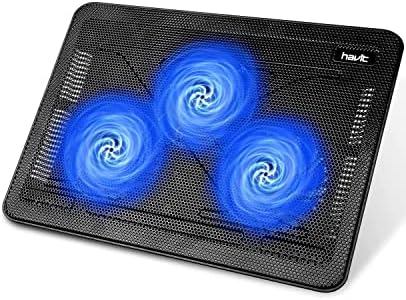
- Ultra-Portable: Slim, portable, and light weight allowing you to protect your investment wherever you go
- Ergonomic Comfort: Doubles as an ergonomic stand with two adjustable height settings
- Optimized for Laptop Carrying: The metal mesh provides your laptop with a stable laptop carrying surface

- 👍【Triple Efficient Fans】TECKNET laptop cooling pad with 3 powerful fans works at 1200 RPM to pull in cool air from the b…
- ✌️【Easy to Use】Powered directly by your laptop’s USB port, the 110mm fans operate quietly and feature a dedicated on/off…
- 👑【Double USB Ports】One USB port can power the laptop cooler, the other one can be connected to external devices, such as…
Final Thoughts
A gaming laptop cooling pad won’t replace proper internal cooling, but it can help improve comfort, airflow, and overall gaming performance during long sessions.
Whether you’re playing competitive games, editing videos, or studying between gaming sessions, choosing the right cooling pad can make your laptop setup more comfortable and efficient.
Disclosure: This post contains affiliate links. If you click through and make a purchase, we may earn a small commission at no extra cost to you. We only recommend products we genuinely believe offer great value.