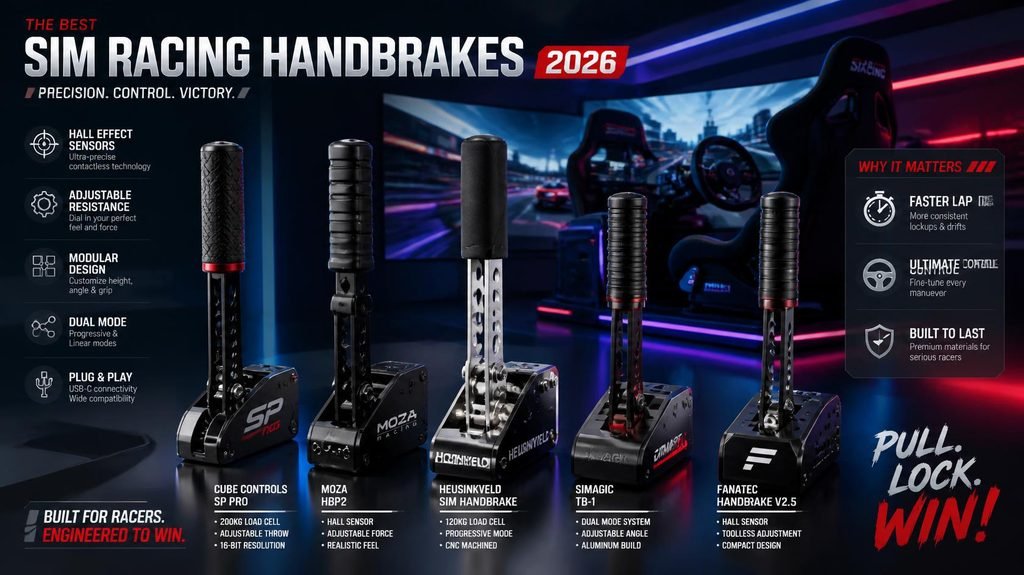
If you’ve ever tried to flick a rally car through a hairpin in DiRT Rally 2.0 using a keyboard button, you already know why a dedicated handbrake exists.
A sim racing handbrake gives you analog control over rear-wheel lockup, and once you feel the difference, going back feels like driving with a flat tire.
Here’s the thing though—not every sim racer actually needs one. If you only race GT3 or Formula 1, you’ll rarely touch it. But if rally or drift games are part of your rotation, a proper analog handbrake unlocks Scandinavian flicks, pendulum turns, and initiation slides that no button can replicate.
The problem is choice.
In 2026, the sim racing handbrake market is more crowded than ever. You’ve got dirt-cheap USB handbrakes under $60, mid-range Hall effect units that punch way above their weight, and premium load cell monsters that cost more than some racing wheels.
So which one is actually right for you?
This guide breaks down everything you need to know—from sensor technology and mounting options to specific recommendations for every budget and discipline.
Why You Need an Analog Handbrake
Let’s be honest about something.
A digital handbrake—whether it’s a button on your wheel or a cheap on/off switch—is binary. It’s either all the way on or all the way off. That’s fine for parking, but it’s terrible for racing.
An analog handbrake lets you modulate braking force progressively, just like pressing a real pedal. Think about how World Rally Championship drivers use the handbrake to rotate tight corners at pace—they’re not yanking it full-on. They’re feathering it mid-corner to unsettle the rear just enough.
Without analog control, you’ll either understeer into a ditch or snap-spin off the track.
This level of control is essential for rally stages with gravel hairpins, tight hairpins on mountain passes, or when you’re drifting through technical corners. For sim racers diving into rally or drifting content in games like BeamNG.drive, Assetto Corsa with mods, or iRacing‘s drift specials, an analog handbrake transforms your cockpit from a setup into a true simulator.
What to Look For in a Sim Racing Handbrake
Sensor Technology
This is the most important spec on the sheet.
Potentiometer-based handbrakes are the old guard. They work, but they eventually develop “jitter” or dead zones as the internal wiper wears out. Avoid these if you can.
Hall effect sensors are the sweet spot. They use contactless magnetic sensors—the same tech found in high-end flight sticks and modern racing pedals. The input you get on day one will be identical to the input you get three years from now. No wear, no drift, no dead zones.
Load cell handbrakes are the premium option. Instead of measuring lever position, they measure the force you apply—just like load cell pedals. This gives you hydraulic-like feel and the most precise modulation possible.
Digital vs. Analog
Digital handbrakes provide binary input—completely on or completely off.
Analog handbrakes provide progressive, proportional control. For rally and drifting, analog is non-negotiable.
Mounting Options
Not every handbrake works with every rig.
Desk clamp — Good for beginners or wheel stand users. But be warned: some budget handbrakes come with desk clamps that are practically useless.
Hard mount — The gold standard. Bolts directly to your rig’s profile. Premium handbrakes like the Heusinkveld require a sturdy aluminum profile rig and can’t be desk-mounted at all.
Vertical vs. horizontal — Some handbrakes let you mount either way. This is a nicely considered touch that plays nicely not only with different rig setups but different racing styles, too.
Platform Compatibility
Make sure the handbrake works with your setup.
- PC — Most USB handbrakes work fine.
- Console — Compatibility is trickier. The Logitech G RS Shifter & Handbrake works with consoles, but many budget handbrakes are PC-only.
- Ecosystem integration — If you’re already in the Fanatec ecosystem, the ClubSport Handbrake V2 plugs directly into your wheelbase via RJ12.
Handbrake Disciplines — Pick the Right Tool for Your Racing
Here’s where most buyers get it wrong: they choose a handbrake based on price or brand, not discipline. A premium Heusinkveld handbrake is wasted on casual WRC gaming. A cheap budget handbrake ruins competitive drifting.
Rally Racing (WRC, DiRT, EA Sports WRC) — Needs quick engagement for Scandinavian flicks and hairpin initiation. Precision matters less than response speed.
Drift Racing (Assetto Corsa drift servers, CarX, competitive leagues) — Needs proportional control for angle maintenance. You’re feathering the handbrake constantly, not pulling and releasing.
Mountain / Touge Racing (Assetto Corsa, Initial D style) — Needs occasional emergency correction. The handbrake is a backup tool, not a primary technique.
Product Recommendations
💰 Best Budget: Cammus C5 Handbrake

- This electronic parking brake switch button can be used to activate the parking brake without pulling the handbrake, mak…
- The electronic parking brake switch effectively dissipates heat to prevent overheating and ensures stable operation. It …
- This electronic parking brake is wear-resistant, scratch-resistant, and resistant to cracking, and feels smooth to the t…
The Cammus C5 is proof that you don’t need to spend a fortune to get analog control.
For around $90, you get a Hall effect sensor for smooth, progressive analog input, an aluminum housing, and a desk-clamp mount. Build quality is simpler than the Moza HBP, but for half the price you still get analog modulation.
Why We Like It
- Hall effect sensor—no potentiometer wear
- Analog input at a digital price
- Aluminum housing feels solid
- Works on any rig via USB
Best For
Casual rally racers, budget-conscious beginners, and anyone who wants to try analog handbrake control without committing to a $200+ purchase.
The Trade-Off
Build quality is simpler than premium options, and the desk clamp is basic. One reviewer put it perfectly: “For $90 there’s nothing to complain about.”
🥇 Best Value: Moza HBP Handbrake
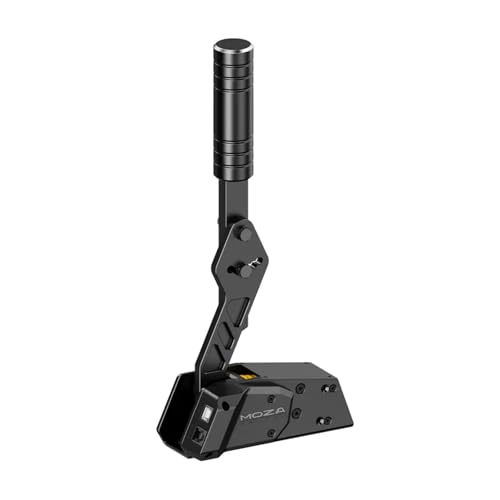
- The whole Handbrake body is CNC machined using aviation-grade aluminum with an anodized finish. It is wear-resistant, st…
- MOZA HBP Handbrake adopts a non-contact 16-bit high precision angle sensor providing a long maintenance-free life.
- A horizontally or vertically mounted lever simulates both road and race cars, angles are adjustable according to persona…
The Moza HBP is the universal recommendation for a reason—it balances price and performance better than almost anything else on the market.
For a fraction of the cost of name-brand gear, you get a sturdy, progressive Hall effect handbrake that outperforms older potentiometer designs. The construction is solid metal that doesn’t feel like a budget product.
Why We Like It
- Aviation-grade aluminum construction
- 16-bit Hall effect sensor for smooth, progressive input
- Dual-mode mounting—horizontal or vertical
- Adjustable brake force with included springs
- USB and RJ45 connectivity
- True plug-and-play for PC users
Best For
Racers who want a do-it-all handbrake without breaking the bank. It handles rally and casual use excellently, and it’s adequate for drifting too.
The Trade-Off
The mounting hardware is terrible. The included desk clamps are practically useless, and the pre-drilled mounting holes don’t always align well with standard sim rigs. You’ll likely need to source your own mounting bolts. The presentation is also barebones—plain brown box, zero instructions.
⭐ Best for Fanatec Users: Fanatec ClubSport Handbrake V2

- Officially licensed by Formula 1: Replica of a steering wheel as used in formula cars. The compact diameter of 270 mm al…
- Quality materials: The CNC-machined and anodised aluminum front plate and genuine Alcantara grips
- Magnetic paddle shifters: CSL Elite Magnetic Paddle Module preinstalled
The Fanatec ClubSport Handbrake V2 has been on the market for a while, yet it remains one of the most commonly recommended handbrakes for sim racing enthusiasts—especially those into drifting, rally, and rallycross.
This is where the V2 immediately stands out. CNC-machined aluminum housing, steel lever arm, zero flex under aggressive pulls. There is nothing plasticky about this product.
Why We Like It
- Full metal CNC construction
- Load-cell-style progressive feel
- Highly adjustable lever position and mounting orientation
- Seamless Fanatec ecosystem integration (RJ12 + USB)
- Durable enough for long-term abuse
Best For
Drift and rally sim racers, serious sim racing rigs, and Fanatec ecosystem users.
The Trade-Off
Expensive compared to basic USB handbrakes. Requires proper rig mounting—this isn’t a desk toy. Overkill for casual players. Some users have noted slight design quirks at stock settings.
💎 Best Premium: Heusinkveld Handbrake
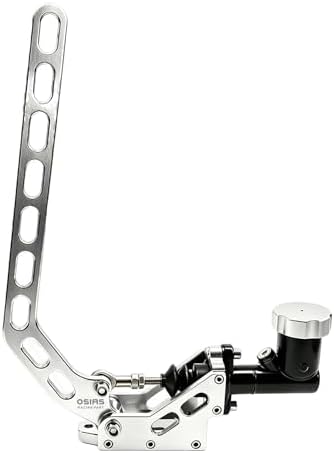
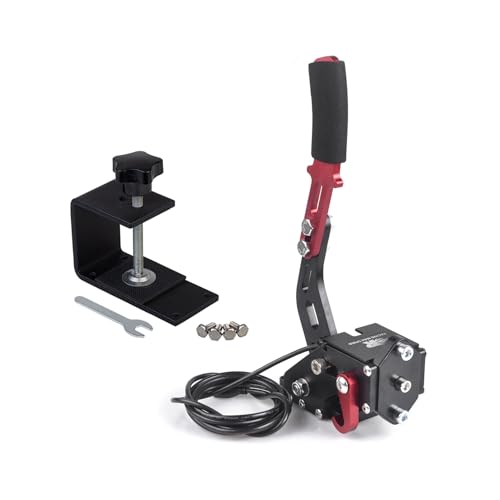
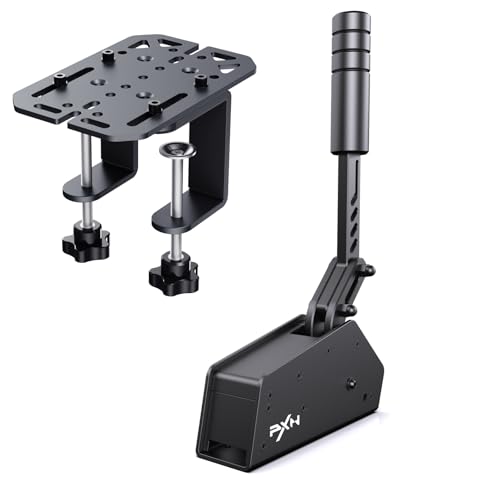
If the Fanatec is the benchmark, the Heusinkveld is the reference.
Heusinkveld’s pro-tier handbrake uses the same hydraulic-feel-via-load-cell trick they use on their Sprint pedals, applied to a handbrake. With a 200kg load cell and interchangeable elastomers, this handbrake perfectly replicates the progressive resistance of a real car.
Why We Like It
- Exceptional stainless steel build quality
- 200kg load cell provides incredibly precise analog modulation
- Highly adjustable handle orientation—vertical, horizontal, or angled
- Customizable physical resistance via interchangeable elastomer bumpers
- Extremely quiet operation—no metal-on-metal clanking
Best For
Serious rally and drift sim racers who demand the absolute best. Professional driver training and commercial simulator environments.
The Trade-Off
High pull force requires a heavy-duty aluminum profile rig—desk mounting is impossible.Premium price point puts it out of reach for casual sim racers. Can cause spatial crowding on rigs already equipped with multiple shifters.
🎮 Best 2-in-1: Logitech G RS Shifter & Handbrake

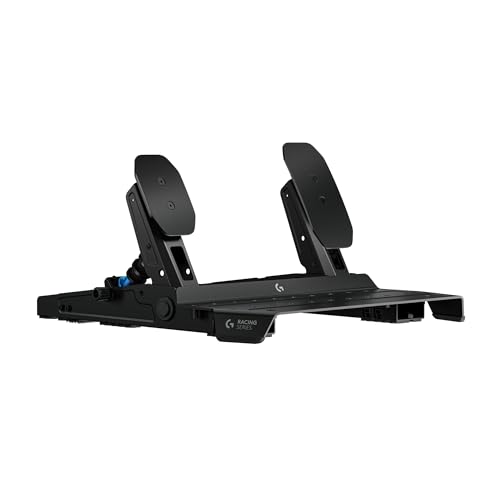

Logitech’s entry into the sim racing accessory market offers a clever space-saving solution.
This is a 2-in-1 shifter and handbrake with a height-adjustable handle. It’s console-compatible and tunable via Logitech’s G HUB software.
Why We Like It
- Two functions in one unit—saves rig space
- Console compatible (rare for handbrakes)
- Table clamp included
- Adjustable via G HUB
Best For
Logitech ecosystem users, console racers, and anyone with limited rig space.
The Trade-Off
It’s a compromise. You don’t get a dedicated shifter or a dedicated handbrake—you get one unit that does both adequately.
🔧 Best Value Bundle: Nacon Revosim RS Pure

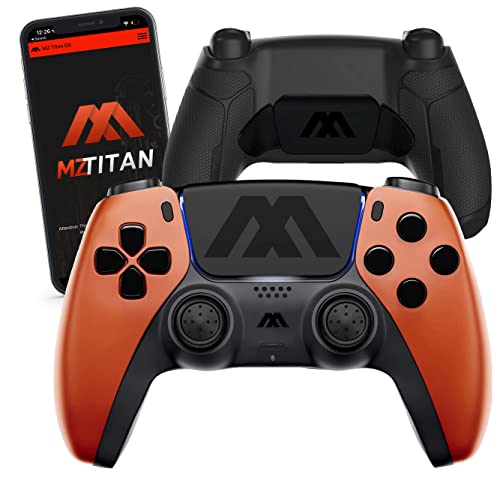
Nacon’s Revosim line continues to mature with the RS Pure Hybrid Shifter and Load Cell Handbrake.
The RS Pure Load Cell Handbrake features a 150kg load cell tucked inside a compact housing, with resistance adjustable via included elastomers or a softer spring. It mounts horizontally or vertically, which is a nicely considered touch.
Why We Like It
- 150kg load cell for precise control
- Compact housing saves space
- Horizontal or vertical mounting
- USB-C or RJ45 connectivity
- Works with non-Nacon setups via USB
Best For
Racers building a complete sim racing ecosystem or anyone who wants a load cell handbrake without paying Heusinkveld prices.
The Trade-Off
Patchy game compatibility can be an issue. At £179.90 for the handbrake alone, it’s not cheap.
Quick Comparison Table
| Handbrake | Price Tier | Sensor | Mount | Best For |
|---|---|---|---|---|
| Cammus C5 | Budget ($) | Hall Effect | Desk clamp | Casual rally, beginners |
| Moza HBP | Value ($$) | 16-bit Hall Effect | Desk clamp / Hard mount | Universal, rally, casual drift |
| Fanatec ClubSport V2 | Premium ($$$) | Analog (load-cell feel) | Hard mount | Fanatec users, drift, rally |
| Heusinkveld | Pro ($$$$) | 200kg Load Cell | Hard mount only | Competitive drifting, rally |
| Logitech G RS | Mid ($$) | Analog | Desk clamp | Console, space-saving |
| Nacon RS Pure | Premium ($$$) | 150kg Load Cell | Hard mount / Desk | Ecosystem builders |
Budget Handbrakes Under $100
If you’re on a tight budget, there are options.
The X4RACE SMART GL-200 is an entry-level analog handbrake for around $30. It’s ABS plastic with a Hall sensor and integrated desk clamp.
The Cammus C5 at around $90 is a much better investment—all aluminum, Hall effect sensor, and proper analog modulation.
Just be careful with no-name Amazon handbrakes. One reviewer noted that a $85 handbrake was “cheaply made and not worth the money.” Stick with established brands like Moza or Cammus if you’re going budget.
Can a Handbrake Work with Any Wheel?
Yes and no.
Most USB handbrakes work independently of your wheelbase. They plug directly into your PC via USB and show up as a separate controller.
If you’re using a Fanatec wheelbase, the ClubSport Handbrake V2 can plug directly into the wheelbase via RJ12. This is cleaner and reduces cable clutter.
For console users, compatibility is more limited. The Logitech G RS Shifter & Handbrake is one of the few that works with consoles. Most budget handbrakes are PC-only.
Do You Actually Need a Handbrake?
Let’s be real.
If you only race GT3, Formula 1, or oval tracks, you don’t need a handbrake. Save your money for a better wheel or pedals.
But if rally or drift games are part of your regular rotation, a proper analog handbrake is a game-changer. It unlocks techniques that simply aren’t possible with a button.
Rally is where a handbrake goes from “nice to have” to high priority—especially for hairpins and rotation.
Drift makes the handbrake essential for initiation and angle maintenance.
How to Mount a Handbrake to Your Rig
Desk mounting — Most budget handbrakes include a desk clamp. Just be aware that the clamps on cheaper units can be frustrating.
Rig mounting — Most handbrakes have pre-drilled holes for mounting to aluminum profile rigs. Check the spacing before buying—the Moza HBP has about five different spacings from the bottom.
Vertical vs. horizontal — Some handbrakes let you choose. Vertical is more rally-style. Horizontal is more drift-style.
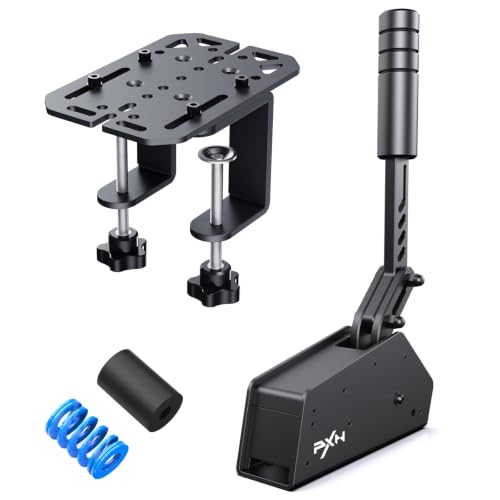
- PREMIUM SIM RACING HANDBRAKE FOR PC – Elevate your racing experience with the PXN HB S Handbrake. Featuring a rugged alu…
- DURABLE & SECURE MOUNTING – Constructed from high-strength aluminum alloy, the HBS Handbrake feels solid and reliable. M…
- PRECISION CONTROL WITH HALL SENSOR – The high-precision Hall sensor provides linear, smooth, and accurate response to ev…
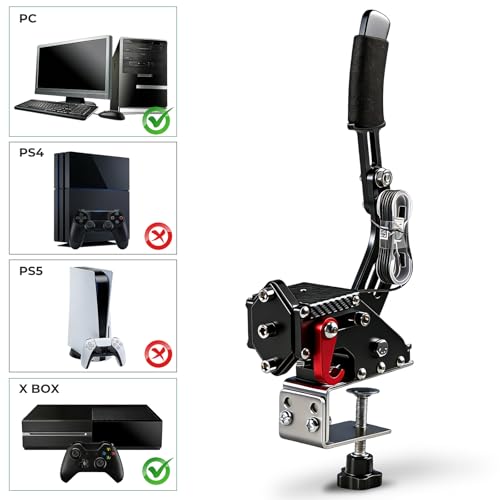
- Broad Platform Compatibility: Compatible with G920 and Compatible with Xbox One, Xbox Series S/X, Windows PC computers. …
- All-Steel Durable Construction: Control system features all-steel structure (excluding internal chip) for enhanced safet…
- Hall Sensor Progressive Technology: Utilizes 64-bit non-contact Hall sensor for precise analog input. Non-touch switch d…

- Multi platform compatibility: the handbrake supports Logitech G29 and Thrustmaster T300RS steering wheel(Including: T300…
- HCXLELD Hub app for the Windows system, which can calibrate the handbrake stroke, set the dead zone, set the curvature, …
- G29 G920 cannot use axis function on PS and Xbox platforms, we offer a solution to map the clutch axis to the handbrake …
Frequently Asked Questions
What is the best sim racing handbrake in 2026?
For most people, the Moza HBP offers the best balance of price, performance, and build quality.For Fanatec users, the ClubSport Handbrake V2 is the obvious choice. For serious competitors, the Heusinkveld is the reference.
Do I need a handbrake for rally sim racing?
Yes, it’s a high priority. Rally is where a handbrake goes from “nice to have” to essential—especially for hairpins and rotation.
What’s the cheapest good handbrake?
The Cammus C5 at around $90 offers analog Hall effect control at a budget price. The **X4RACE SMART GL-200** is even cheaper at around $30, but build quality is much lower.
Can I use a handbrake with a Logitech G29?
Yes. Most USB handbrakes work independently of your wheel. The Logitech G RS Shifter & Handbrake is the official option, but third-party USB handbrakes also work.
What’s the difference between Hall effect and load cell?
Hall effect measures lever position magnetically—it’s reliable and smooth. Load cell measures the force you apply—it’s more realistic and precise but more expensive.
Is a handbrake worth it for casual sim racing?
Only if you play rally or drift games. If you mostly race GT3 or Formula 1, skip it.
Final Thoughts
A sim racing handbrake is one of those accessories that doesn’t make sense until you try it—and once you do, you wonder how you ever managed without it.
For rally and drift, it’s not just a luxury. It’s a tool that unlocks techniques and control that simply aren’t possible with a button or keyboard.
The good news is that in 2026, you don’t need to spend a fortune to get a great experience. The Moza HBP delivers premium-level sensor tech at a mid-range price. The Cammus C5 gets you analog control for under $100.
If you’re already in the Fanatec ecosystem, the ClubSport Handbrake V2 is the natural choice. And if you’re serious about competitive drifting or rally, the Heusinkveld is worth every penny.
The important thing is matching the handbrake to your discipline and your budget. A premium load cell handbrake is wasted on casual rally. A cheap budget unit will frustrate you in competitive drifting.
But for most people, starting with a Moza HBP or a Cammus C5 is a great way to unlock a whole new dimension of sim racing without breaking the bank.
This post contains affiliate links. If you click through and make a purchase, we may earn a small commission at no extra cost to you. We only recommend products we genuinely believe offer great value.