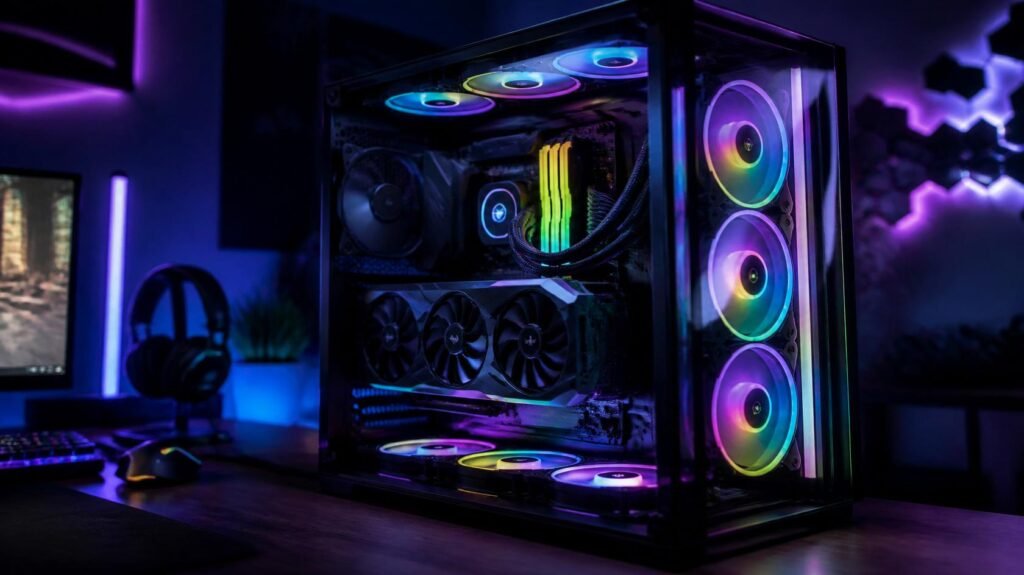
Keeping your gaming PC cool is essential for maintaining stable performance during long gaming sessions. As modern CPUs and GPUs become more powerful, they also generate more heat, making proper airflow more important than ever.
One of the easiest and most affordable upgrades is replacing or adding high-quality case fans. Good fans improve airflow, reduce internal temperatures, and can even lower system noise when paired with an efficient cooling setup.
Whether you’re building your first gaming PC or upgrading an existing rig, this guide covers some of the best PC case fans available in 2026.
Why Upgrade Your Case Fans?
Quality case fans do more than just move air.
Better Cooling
Improved airflow helps remove hot air from inside your case, allowing components to run at healthier temperatures.
Lower Noise
Premium fans are designed to move plenty of air while producing less noise than cheaper alternatives.
Longer Component Lifespan
Lower operating temperatures may help reduce wear on key components over time.
Better Aesthetics
Many gaming fans now feature customizable RGB lighting to match your gaming setup.
What to Look for Before Buying
Fan Size
The most common sizes are:
- 120 mm
- 140 mm
Check your PC case specifications before buying.
Airflow (CFM)
Higher airflow generally improves cooling performance, especially in cases with powerful gaming hardware.
Static Pressure
If you’re mounting fans on a radiator or behind a restrictive front panel, choose fans with good static pressure.
Noise Level
Look for PWM fans that automatically adjust their speed based on system temperature, helping keep noise levels low when full cooling isn’t needed.
Best PC Case Fans for Gaming
Best Overall
Noctua NF-A12x25 PWM

The Noctua NF-A12x25 is widely regarded as one of the best-performing 120 mm fans available.
Highlights
- Outstanding airflow
- Extremely quiet operation
- Premium build quality
- Excellent reliability
Best for: Gamers who prioritize cooling and low noise.

❄️ Improve Your PC Airflow
Compare today’s best PC case fans, customer ratings, and current Amazon prices before upgrading your gaming PC.
View on AmazonBest Budget
ARCTIC P12 PWM PST
A favorite among PC builders thanks to its excellent value.
Features
- Quiet operation
- PWM speed control
- Daisy-chain support
- Excellent airflow for the price
Best for: Budget gaming PCs.

❄️ Improve Your PC Airflow
Compare today’s best PC case fans, customer ratings, and current Amazon prices before upgrading your gaming PC.
View on AmazonBest RGB Fan
CORSAIR RS120 ARGB 120mm PWM Fans
Gamers who want both cooling and style will appreciate the AF120 RGB ELITE.
Highlights
- Bright RGB lighting
- Strong airflow
- PWM control
- Streamlined Fan Connections: Daisy-chain multiple fans together and control them all through just one 4-pin PWM connector and one +5V ARGB connector.
- Lighting Made Easy: Eight LEDs per fan shine bright with customisable lighting through your motherboard’s built-in ARGB control (requires compatible motherboard).
- Precise PWM Speeds: Set your fan speeds up to 2,100 RPM while providing up to 72.8 CFM airflow to your system.
- CORSAIR AirGuide Technology: Anti-vortex vanes direct airflow at your hottest components for concentrated cooling, pushing air in the direction you need when mounted to a radiator or heatsink.
- High Static Pressure: RS fans work well as radiator fans with a static pressure of 2.8mm-H2O to push through obstructions.
- iCUE software integration
Best for: RGB gaming builds.

❄️ Improve Your PC Airflow
Compare today’s best PC case fans, customer ratings, and current Amazon prices before upgrading your gaming PC.
View on AmazonBest Premium Fan Kit
Lian Li UNI FAN SL-INF 120
The UNI FAN SL-INF combines premium cooling with an innovative cable management design.
Features
- Interlocking fan system
- Infinity mirror RGB lighting
- Excellent airflow
- Reduced cable clutter
Best for: High-end custom gaming PCs.

❄️ Improve Your PC Airflow
Compare today’s best PC case fans, customer ratings, and current Amazon prices before upgrading your gaming PC.
View on Amazon120 mm vs 140 mm Case Fans
120 mm Fans
Pros
- Widely compatible
- Higher maximum RPM
- Great for compact cases
140 mm Fans
Pros
- More airflow at lower speeds
- Quieter operation
- Ideal for larger gaming cases
Choose the size supported by your case. If both are compatible, many builders prefer 140 mm fans for their quieter performance.
Frequently Asked Questions
How many case fans do I need?
Most gaming PCs perform well with at least two intake fans at the front and one exhaust fan at the rear.
Are RGB fans worth it?
If appearance matters to you, RGB fans can greatly enhance your setup while still providing effective cooling.
Should all my fans spin at the same speed?
Not necessarily. PWM fan control automatically adjusts fan speeds based on system temperature for a balance of cooling and quiet operation.
Can better case fans improve FPS?
No. Better airflow won’t directly increase frame rates, but it can help prevent thermal throttling during long gaming sessions.
Which is better: airflow or static pressure?
Airflow fans are ideal for unrestricted case ventilation, while static pressure fans are better for radiators and restrictive front panels.

- High performance cooling fan, 120x120x25 mm, 12V, 4-pin PWM, max. 1700 RPM, max. 25.1 dB(A), >150,000 h MTTF
- Renowned NF-P12 high-end 120x25mm 12V fan, more than 100 awards and recommendations from international computer hardware…
- Pressure-optimised blade design with outstanding quietness of operation: high static pressure and strong CFM for air-bas…

- Comes with 4x pre-installed PWM-controlled 120mm ARGB fans, ensuring adaptable airflow and vibrant lighting with daisy-c…
- Integrated 26-LED ARGB strip offers full spectrum color control and synchronization with motherboard software, enhancing…
- Supports ATX, Micro-ATX, Mini-ITX, and back-connect ATX or Micro-ATX motherboards for cleaner routing and flexible build…
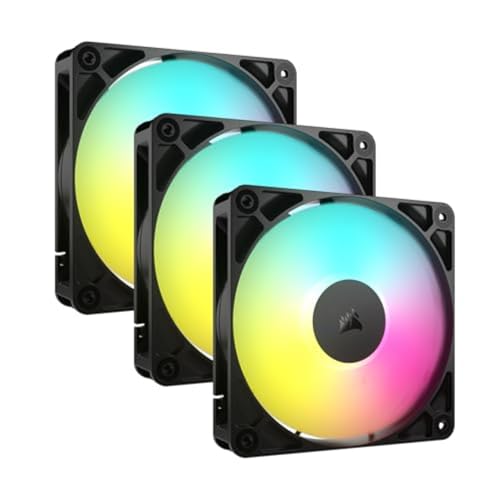
- Streamlined Fan Connections: Daisy-chain multiple fans together and control them all through just one 4-pin PWM connecto…
- Lighting Made Easy: Eight LEDs per fan shine bright with customisable lighting through your motherboard’s built-in ARGB …
- Precise PWM Speeds: Set your fan speeds up to 2,100 RPM while providing up to 72.8 CFM airflow to your system.
Final Thoughts
Good airflow is the foundation of every reliable gaming PC. Upgrading your case fans is a simple improvement that can lower temperatures, reduce noise, and help your hardware perform consistently under heavy workloads.
Whether you prefer a silent build or a colorful RGB showcase, there’s a quality case fan to suit your gaming setup and budget.
Disclosure: This post contains affiliate links. If you click through and make a purchase, we may earn a small commission at no extra cost to you. We only recommend products we genuinely believe offer great value.